Showing posts with label Machine Learning. Show all posts

Monday, December 9, 2019

Deep Learning, AI/ML, Computer Vision, and Data Science Gift Buying Guide - 2019

It’s the holiday season! This is the season of the year we like to celebrate the most. And it is the part of the year that we'd like to give, and receive, gifts.

While it's easy to pick a gift (relatively speaking) for some people, the interests of some others might make it hard nail down a gift for. (Take an AI, ML, Data Science and programming enthusiast like me for an example)

Now, you might have a family member, colleague, or a friend that is into AI, Deep Learning, and Machine Learning. Or, they might be working on or interested in Data Science or Computer Vision. You might be wondering what sort of gifts to get them.

Or simply as an enthusiast in those areas yourself, you're thinking of buying a gift for yourself this season. (I know that I’m thinking the same)

So, how do you select a gift for someone with interest in such vast and technical fields?

Well today I’m going to give you some gift ideas that just might work.

AI, ML, Deep Learning, Computer Vision, and Data Science Gift Guide 2019


When thinking of gifts relating to the AI/ML, CV, Data Science fields, we can consider three categories of gifts,

  1. Items to Improve their ability to perform tasks in those areas
  2. Give them new tech toys to play around in those areas
  3. Help them improve their knowledge in those areas

Let’s see what items we can select for each of those categories.


Wednesday, August 30, 2017

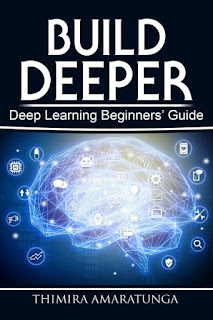
Build Deeper: Deep Learning Beginners' Guide

I've been away from writing a post for about three weeks. That's because I've been preparing something exciting.

Today, I'm happy to announce the first book release from Codes of Interest - Build Deeper: Deep Learning Beginners' Guide.

Build Deeper: Deep Learning Beginners' Guide

Deep Learning has become a household name. It’s the bleeding edge in AI, and already achieving some phenomenal feats. Breakthroughs are happening daily, and the tech giants are not only pursuing it, they’re leading it.

Build Deeper: Deep Learning Beginners' Guide is the ultimate guide for anyone taking their first step into Deep Learning. Learn what Deep Learning is, and how it came to be. See what it's capable of, and its milestones. And get hands-on with building your first Deep Learning model.

All you need to get started is a bit of enthusiasm, and some basic programming skills.

Build Deeper: Deep Learning Beginners' Guide is now available from Amazon.


Tuesday, July 11, 2017

Encog-Node: Simple Machine Learning on Node.js

Before I got into serious Machine Learning and Computer Vision coding (which I mostly use Python for), I did a lot of my development on Node.js. Few years back (around 2012), I was trying to add a simple neural network to one of my Node.js applications. I looked around, but couldn't find a satisfactory node module which was lightweight and flexible. Around that time, I came across the Encog Machine Learning framework, which was created by Jeff Heaton, and was one of the most popular Machine Learning libraries for Java at the time. I noticed that there was a Javascript version of the Encog library, which worked surprisingly well, and set myself on to porting that to Node.js.

I released the first version of Encog-Node in early 2012, and the latest version v0.3.0 is now available from NPM - https://www.npmjs.com/package/encog-node, and is recommended for anyone who wants to add lightweight, simple machine learning capabilities to their Node.js applications.

GitHub user Rui Cardoso contributed a lot for the latest release, with restructuring and cleaning up the codebase, and adding more examples.

You can install it by simply running,
 npm install encog-node  
in your node application.

Friday, July 7, 2017

Milestones of Deep Learning

Deep Learning has been around for about a decade now. We talked about how Deep Learning evolved through Artificial Intelligence, and Machine Learning (See "What is Deep Learning?"). Since its inception, Deep Learning has taken the world by storm due to its success. Here are some of the more significant achievements of Deep Learning throughout the years,

AlexNet - 2012


The AlexNet Architecture
The AlexNet Architecture (Image from the research paper)

  • Proved that Convolutional Neural Networks actually works. AlexNet - and its research paper "ImageNet Classification with Deep Convolutional Neural Networks" by Alex Krizhevsky, Ilya Sutskever, and Geoffrey E. Hinton - is commonly considered as what brought Deep Learning in to the mainstream.
  • Won 2012 ILSVRC (ImageNet Large-Scale Visual Recognition Challenge) with 15.4% error rate. (For reference, the 2nd best entry at ILSVRC had 26.2% error rate).
  • 8 layers: 5 convolutional, 3 fully connected.
  • Used ReLU for the non-linearity function rather than the conventional tanh function used until then.
  • Introduced the use of Dropout Layers, and Data Augmentation to overcome overfitting.
Research Paper: ImageNet Classification with Deep Convolutional Neural Networks - Alex Krizhevsky, Ilya Sutskever, Geoffrey E. Hinton

Wednesday, June 28, 2017

Machine UI : An IDE for Machine Learning, currently in Alpha

Machine UI, or just "Machine" as it's commonly referred, is an IDE for Machine Learning, which is currently in its Alpha stage. It has been designed to work with TensorFlow, and aims at simplifying setting up machine Learning experiments so that you spend more time experimenting, and less time configuring.


The interface of Machine UI
The interface of Machine UI (Note: This is a screenshot from their announcement video)

As per their announcement video, the machine learning experiments are set up visually. The input data, convolutions, and the outputs are placed as nodes on a graph. You can think of it as a more interactive version of the Tensor Board which comes with TensorFlow.

Thursday, May 18, 2017

What is Deep Learning? - Updated

What is Deep Learning? And, how does it relates to Machine Learning, and Artificial Intelligence?

I did an article to answer these questions some time back.

Now, thanks to the feedback I got from you all, I was able to updated it, with more clarifications, improved examples, and answers to more questions in Deep Learning.


Check out the updated article here,


Your feedback are always welcome.

Build Deeper: Deep Learning Beginners' Guide is the ultimate guide for anyone taking their first step into Deep Learning.

Get your copy now!

Thursday, April 13, 2017

How deep should it be to be called Deep Learning?

If you remember, some time back, I made an article on What is Deep Learning?, in which I explored the confusion that many have on terms Artificial Intelligence, Machine Learning, and Deep Learning. We talked about how those terms relate to each other: how the drive to build an intelligent machine started the field of Artificial Intelligence, when building an intelligence from scratch proved too ambitious, how the field evolved into Machine Learning, and with the expansion of both the capabilities of computer hardware and our understanding of the natural brain, dawned the field of Deep Learning

We learned that the deeper and more complex models (compared to traditional models) of Deep Learning are able to consume massive amounts of data, and able to learn complex features by Hierarchical Feature Learning through multiple layers of abstraction. We saw that Deep Learning algorithms don’t have a "plateau in performance" compared to traditional machine learning algorithms: that they don’t have a limit on the amount of data they can ingest. Simply, the more data they are given, the better they would perform.

The Plateau in Performance in Traditional vs. Deep Learning


With the capabilities of Deep Learning grasped, there’s one question that usually comes up when one first learns about Deep Learning:

If we say that deeper and more complex models gives Deep Learning models the capabilities to surpass even human capabilities, then how deep a machine learning model should be to be considered a Deep Learning model?

I’ve had the same question when I was first getting started with Deep Learning, and I had few other Deep Learning enthusiasts asking me the same question.

It turns out, we were asking the wrong question. We need to look at Deep Learning from a different angle to understand it.

Let’s take a step back and see how a Deep Learning model works.

Thursday, January 19, 2017

New Page - What is Deep Learning?

Deep Learning is the latest trend in Machine Learning. We hear about new innovations in Deep Learning every day, to a point that it has started to become a household name. Big companies such as Google, Apple, Amazon, Microsoft, IBM, and many others seems to be pushing for Deep Learning.

But, do you know what Deep Learning really is?

http://www.codesofinterest.com/p/what-is-deep-learning.html

Since it's one of the most frequent questions that comes up, I created a new page "What is Deep Learning?" which talks about what Deep Learning is, how it relates to Machine Learning and Artificial Intelligence, and their history. Have a look at it from the below link,


Let me know what you think of Deep Learning.

Build Deeper: Deep Learning Beginners' Guide is the ultimate guide for anyone taking their first step into Deep Learning.

Get your copy now!

Friday, December 9, 2016

What is a Tensor?

Whether you are new to the field of Deep Learning, or might be coming from bit of a Machine Learning background and just dipping your toes into Deep Learning frameworks, you might be coming across the word "Tensor". Specially, with the increasing popularity of TensorFlow - the 2nd generation Machine Learning library by the Google Brain Team - the concept of the "Tensor" has also gained popularity.

You may be thinking that a Tensor is probably a mysterious and complicated thing, used exclusively in Machine Learning algorithms. But in reality, a Tensor is something quite simple and common.

So, what is a Tensor?

A representation of a Tensor
Image courtesy: Wikipedia - https://commons.wikimedia.org/wiki/File:Components_stress_tensor.svg

A Tensor is simply a data structure. A much more generic representation of any of the data collections we see in programming languages. However, unlike any other data structures, typically the position of a value in a Tensor has a meaning (we'll get to that in a bit).

A Tensor may have zero or more dimensions, which is given as the 'Order' of a Tensor.

A scalar, or a single number is a Tensor of order zero, which can also be thought as an array of dimension zero.

A Tensor of order one would be a Vector, or a one-dimensional array.

A Tensor of order two would be a matrix, or a two-dimensional array.

And so on... Tensors of any order can be made.

As I mentioned above, in typical use cases, the position of a value in a tensor - commonly referred to as the coordinates - has a meaning, and the value would transform according to the rules we define when the coordinates are changed.

For an example, we can define a tensor of order two which contains the pixel values of a grayscale image. In this case, the coordinates of the values of the tensor would represent the X and Y coordinates of the pixels of the image, and the values themselves would be the grayscale values at those coordinates. And, as you expect, if you transform the coordinates, the values would also change.


Related links:
http://www.physlink.com/education/askexperts/ae168.cfm
https://en.wikipedia.org/wiki/Tensor
http://mathworld.wolfram.com/Tensor.html

Build Deeper: Deep Learning Beginners' Guide is the ultimate guide for anyone taking their first step into Deep Learning.

Get your copy now!

Thursday, November 3, 2016

Difference between Artificial Intelligence, Machine Learning, and Deep Learning

Update: Check out the new and updated article on What is Deep Learning, and how it relates to Artificial Intelligence and Machine Learning.

-------

You may have heard the terms Artificial Intelligence, Machine Learning, Deep Learning and you maybe trying to figure out what they mean, and whether these terms can be used interchangeably.

I've also had the same questions when I started diving in to the field. And a recent post in the Nvidia Blog brought back the question.

So here’s a simplified explanation on how each of those terms came to be, and how they relate to each other.


Artificial Intelligence


Artificial Intelligence is the idea that machines (or computers) can be built that has intelligence parallel (or greater) to that of a human, giving them capability to perform tasks that requires human intelligence to perform.

The idea of an intelligent machine has been around since 1300 BC, and through 19th century. But the Dartmouth Conferences in 1956 is what’s commonly considered as the starting point of the formal research field of Artificial Intelligence. Since then the field of AI has gone through many ups-and-downs and has branched out into many sub fields. There has been attempts at applying AI for various fields – such as medical, finance, aviation, machinery etc. – with various degrees of success.

Around the late 1990s and early 2000s, the researchers identified a problem in their approach to AI, which was slowing down the success of AI – in order for us to artificially crate a machine with an intelligence, we would first need to understand how intelligence work. But even today, we do not have a complete definition of what we call "intelligence".

In order to tackle the problem, they decided to go ground-up – rather than trying to build an intelligence, we could look in to building a system that can grow its own intelligence. This idea created the new sub-field of AI called Machine Learning.

Tuesday, October 25, 2016

Getting Keras working with Anaconda Python

I've started using the Anaconda Python distribution for most of my Machine Learning. It has pre-built binaries of Python for many platforms and architectures, has hundreds of pre-built and tested Python packages directly available through the conda package manager, and it allows easy creation of virtual isolated environments - with its own Python version and packages - to experiment with.

You can get an idea of the capabilities of Anaconda by going through their Anaconda Test Drive guide.

Getting Keras (with Theano backend) working on any Python distribution is usually straightforward, but you do run into some errors occasionally based on the platform you're on and your environment settings.

So, here are the steps that worked for me to get Keras working on the Anaconda Python distribution:

First, you need to install Anaconda. It's as easy as getting the binary for your platform from Anaconda download page and running it. Once it's installed, the conda command will be available from your terminal or command prompt.

Now you can create an anaconda environment to install Keras and related packages,
 conda create --name keras-test numpy scipy scikit-learn pillow h5py mingw libpython  

'keras-test' is the name of the environment we're creating. You can give it a different name.
You can also create an environment with a different Python version. For example, if you want to create the environment with Python 2.7,
 conda create --name keras-test python=2.7 numpy scipy scikit-learn pillow h5py mingw libpython  

Once the environment is created, activate it.
 activate keras-test  

Then, we'll install Theano from Git, since we want the latest development version,
 pip install --upgrade --no-deps git+git://github.com/Theano/Theano.git  

And then, we install Keras from PIP,
 pip install keras  

Finally, we setup OpenBLAS and configure Theano to use it. My earlier blog post - Getting Theano working with OpenBLAS on Windows - details how to setup Theano with OpenBLAS in detail.

We can test whether the setup was successful by running the Python interpreter and importing Keras package,
 python  
 >>> import keras  
 Using Theano backend.  

Keras loading successfully


If you don't get any errors when the Keras package is loading, then all is set.

Related posts:
Switching between TensorFlow and Theano on Keras
What is the image_dim_ordering parameter in Keras, and why is it important

Related Links:
https://www.continuum.io/downloads
https://docs.continuum.io/anaconda/pkg-docs
http://conda.pydata.org/docs/test-drive.html

Build Deeper: Deep Learning Beginners' Guide is the ultimate guide for anyone taking their first step into Deep Learning.

Get your copy now!

Friday, October 21, 2016

Working Theano configs

Here are the Theano configurations that I have tested and worked.
These were tested on Windows 10 64-Bit, and Windows 7 64-Bit.
(I will update when I test on other OS's and setups)

With GPU support, on CUDA and cuDNN


In order to allow Theano to use the GPU, you need to be on a machine with a supported Nvidia GPU, and have the CUDA toolkit and cuDNN setup. I will cover how to setup CUDA on a different post.

 [global]  
 floatX = float32  
 device = gpu  
   
 [nvcc]  
 flags=-LC:\Users\Thimira\Anaconda3  
 compiler_bindir=C:\Program Files (x86)\Microsoft Visual Studio 12.0\VC\bin  
   
 [dnn]  
 enabled = True  
   
 [lib]  
 cnmem=0.75  
   
 [blas]   
 ldflags=-LC:\Dev_Tools\openblas\bin -lopenblas  

device = gpu tells Theano to use the GPU instead of the CPU.
flags=-LC:\Users\Thimira\Anaconda3 point this to your Python installation (I'm using Anaconda Python)
compiler_bindir=C:\Program Files (x86)\Microsoft Visual Studio 12.0\VC\bin point this to the bin dir of your Visual Studio installation (Note: CUDA only worked with Visual Studio 2013 for me)
[dnn] enabled = True this enables cuDNN
cnmem=0.75 set the memory limit Theano can use of the GPU. Here it's set to 75% of the GPU memory
ldflags=-LC:\Dev_Tools\openblas\bin -lopenblas point to your OpenBLAS installation. Refer to my earlier post Getting Theano working with OpenBLAS on Windows

With only CPU support


Since not everyone have a compatible Nvidia GPU to have CUDA.

 [global]  
 floatX = float32  
 device = cpu  
   
 [blas]  
 ldflags=-LC:\Dev_Tools\openblas\bin -lopenblas  

device = cpu tells Theano to use the CPU.
ldflags=-LC:\Dev_Tools\openblas\bin -lopenblas point to your OpenBLAS installation. Refer to my earlier post Getting Theano working with OpenBLAS on Windows

Build Deeper: Deep Learning Beginners' Guide is the ultimate guide for anyone taking their first step into Deep Learning.

Get your copy now!

Thursday, October 20, 2016

Getting Theano working with OpenBLAS on Windows

I wanted to try out Machine Learning with Python, so my first choice was Keras with Theano.

Got Theano installed from Git (to get the latest development version):
 pip install --upgrade --no-deps git+git://github.com/Theano/Theano.git  


Then, I needed to setup Theano with OpenBLAS (otherwise, training Keras models was painfully slow).
Since I was on Windows, I had to look around for instructions on how to setup OpenBLAS properly.

Luckily, OpenBLAS provides binaries for Windows - both 32Bit and 64Bit - although, they may not be for the latest version of OpenBLAS.

Head over to https://sourceforge.net/projects/openblas/files/ and see which release has the binaries already built for Windows. We need both OpenBLAS and MinGW binaries.

At the time of this writing the latest version of OpenBLAS was v0.2.19, which unfortunately doesn't have the Windows binaries released.

But, going back a few releases, we find that the release v0.2.15 includes the binaries - OpenBLAS-v0.2.15-Win64-int32.zip and mingw64_dll.zip.

Download both of the Zip files, and first extract the OpenBLAS Zip to a globally accessible location on your hard disk. (I would suggest a location such as C:\Dev_Tools\openblas\).
Then, extract the mingw Zip, and copy it's contents to the bin directory of your extracted OpenBLAS directory. e.g. If you extracted OpenBLAS to C:\Dev_Tools\openblas\, then copy the contents (3 DLL files) of mingw to C:\Dev_Tools\openblas\bin\.
i.e.: The extracted openblas\bin will have the libopenblas.dll in it. When you extract mingw, it will have 3 more DLLs - libgcc_s_seh-1.dll, libgfortran-3.dll, libquadmath-0.dll. Copy those to openblas\bin also.

Then, add the openblas\bin directory to your system path.

Finally, edit (or create) your .theanorc file with the following settings: (assuming you extracted OpenBLAS to C:\Dev_Tools\openblas\)
Note: If you don't already have a .theanorc file, create a file named .theanorc in the home directory of your user account, e.g. C:\Users\<your user>\.theanorc

 [global]  
 floatX = float32  
 device = cpu  
   
 [blas]  
 ldflags=-LC:\Dev_Tools\openblas\bin -lopenblas  

Now, run your Keras/Theano program and see whether Theano picks up OpenBLAS.


Related Links:
http://www.openblas.net/

Build Deeper: Deep Learning Beginners' Guide is the ultimate guide for anyone taking their first step into Deep Learning.

Get your copy now!